
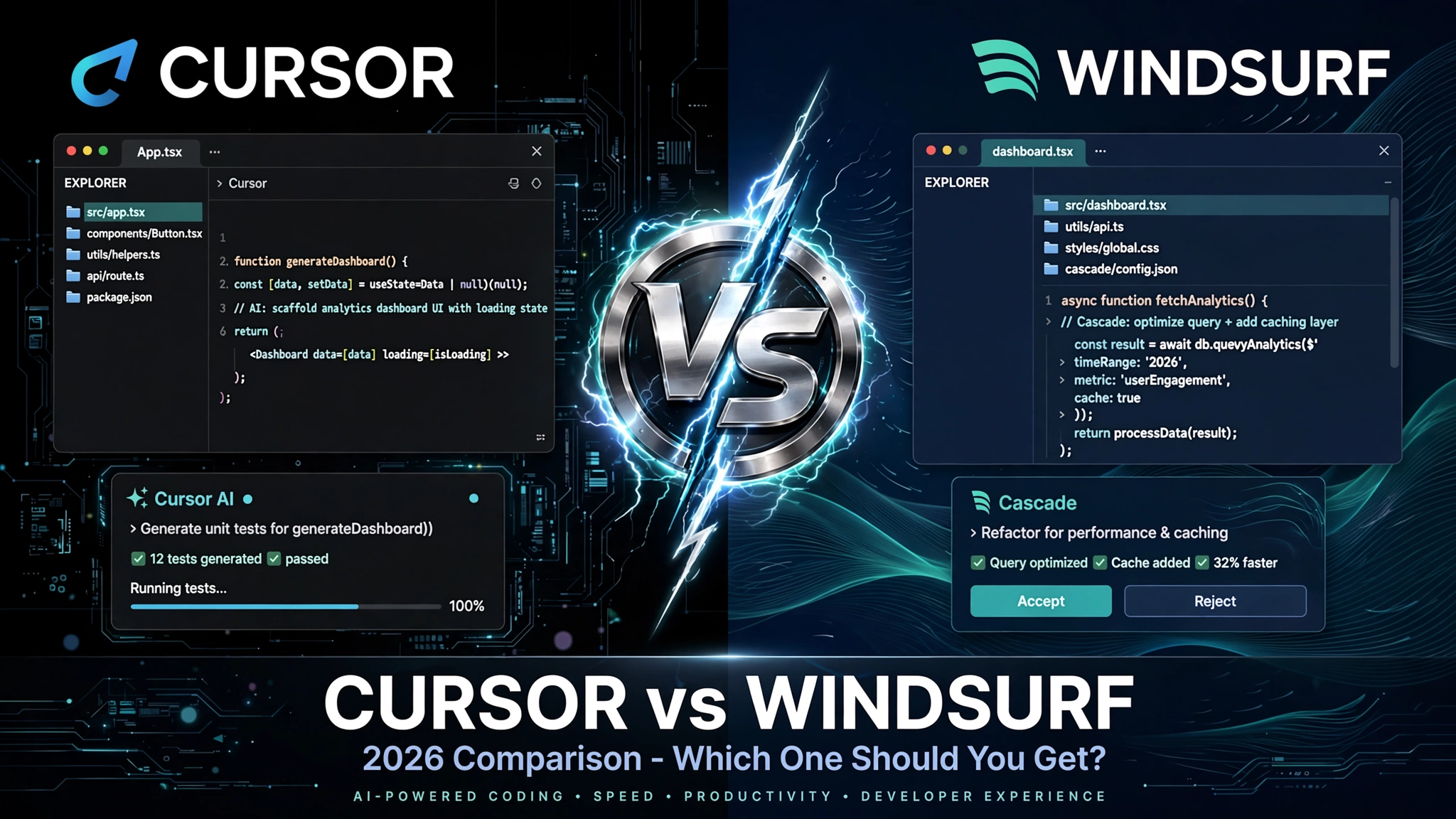
Cursor vs Windsurf 2026: Which One Should I Get?
Quick Answer: Both cost $20/month now, so price doesn’t decide this anymore. Cursor wins if you want control, model flexibility, and a VS Code-compatible setup for complex team projects. Windsurf wins if you want the AI to just handle multi-step tasks autonomously with less configuration. Solo devs lean Windsurf. Teams lean Cursor. Neither is wrong.
So here’s the thing that trips most people up when they start researching this. You go into the comparison expecting Cursor and Windsurf to be basically the same tool at different prices, and you come out realizing they’re actually built on completely different philosophies. Same price tag. Wildly different daily experience depending on how you work.
For most of 2025, the comparison was easy: Windsurf was cheaper at $15/month and Cursor was $20. That’s gone now. Windsurf raised its Pro plan to $20 in March 2026, matching Cursor exactly. So now you’re genuinely choosing between two $20/month tools and the only real question is which one fits how you actually code.
Here’s the short version before we get into everything. Cursor is built like an IDE that got really good AI added to it. You stay in control, you pick your model, you approve each step. Windsurf is built like an AI agent that happens to live inside an editor. You give it a task and it handles the steps itself. One of those descriptions just clicked for you. That instinct is probably right.
Still, there’s enough nuance in the pricing tiers, the agent architecture, and the specific things each tool does badly that a quick gut check isn’t enough. So let’s actually go through it properly.
What You’re Really Comparing (It’s Not Features, It’s Philosophy)
Before getting into the specs and screenshots, this is the most important thing to understand about Cursor vs Windsurf in 2026.
These two tools diverge on a single core question: who’s in charge of the coding session, you or the AI?
Cursor’s answer: You are. Cursor is a VS Code fork built by Anysphere, a company now valued at roughly $60 billion after hitting $2 billion in ARR in March 2026. The .cursorrules file (and the newer CLAUDE.md equivalent) lets you set persistent, project-level instructions that carry across every session. You pick which model runs on which task. You approve each diff before it lands. Composer 2 handles multi-file edits, but you’re watching every step. It feels like pair programming where you’re the senior dev.
Windsurf’s answer: The AI is, at least for the task you give it. Windsurf started as Codeium’s standalone editor, was acquired by Cognition AI for $250 million in December 2025, and now runs on SWE-1.5, the same architecture that powers Devin, Cognition’s fully autonomous AI software engineer. The Cascade agent handles multi-step, multi-file tasks autonomously with less hand-holding required. You give it a goal. It figures out the path.
Neither approach is better. They genuinely serve different workflows. The failure mode most people hit, and that almost nobody in the comparison articles talks about, is using the wrong tool in the wrong way. Kunal Ganglani, who writes about AI engineering workflows at kunalganglani.com, put it exactly right: “I’ve seen too many engineers use Cursor like Windsurf (zero configuration, just prompting) and complain it’s not good enough, or use Windsurf like Cursor (fighting the agent for control) and wonder why it feels clunky. The tool isn’t the bottleneck. How you use it is.”
That’s the actual trap. Keep it in mind as you read the rest of this.
Pricing, Real Numbers, and What Your Screenshot Actually Shows

Cursor’s pricing from the official page: Hobby (free, limited Agent requests and Tab completions), Individual at $20/month (Pro, Pro+, Ultra sub-tiers), Teams at $40/user/month, and Enterprise at custom pricing. The Individual tier gets you extended Agent limits, access to frontier models, MCPs, skills, hooks, cloud agents, and Bugbot on usage-based billing.
One thing worth knowing that isn’t obvious from the pricing page: Cursor uses a credit pool system. Your monthly credit pool equals your plan price. “Auto” mode requests don’t touch your credits, but heavy agent use can burn through your pool faster than you expect, especially on the Pro tier. The Pro+ and Ultra sub-tiers exist specifically for heavier agent users.
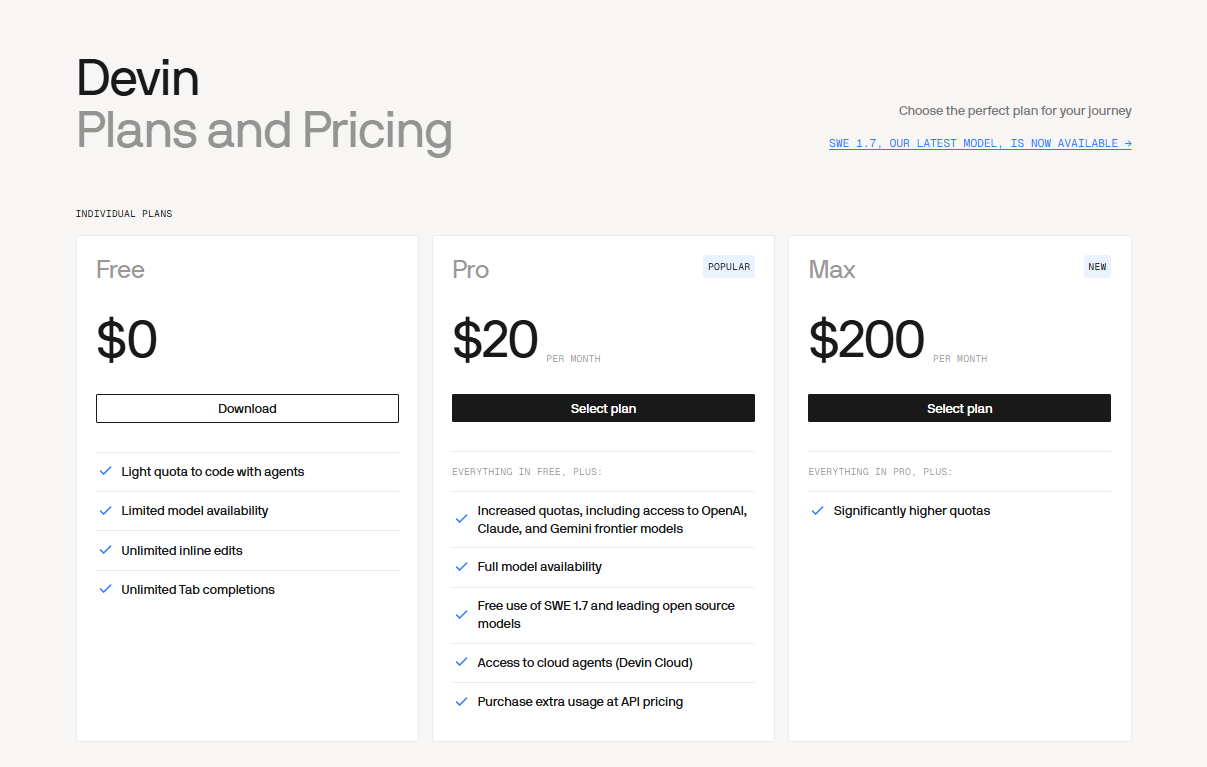
Here’s a detail almost no comparison article mentions: Windsurf’s parent company is Cognition AI, and Cognition AI also runs Devin, the autonomous AI software engineer product. That Devin pricing page (Free, $20/month Pro, $200/month Max) tells you something about how Cognition thinks about the product ecosystem they’re building. Windsurf is the IDE layer. Devin is the fully autonomous agent layer. They’re designed to be complementary, with a shared SWE-1.5 model underneath both.
For Windsurf itself: Pro costs $20/month, Teams matches Cursor at $40/seat. Windsurf switched from a credit system to a quota system in March 2026. Daily and weekly token budgets refresh automatically. SWE-1.5 is currently free for all Windsurf users during a promotional period. Overage charges at API pricing if you blow past your quota.
Practical implication: if your usage is heavy and inconsistent, the quota reset system on Windsurf is more predictable than Cursor’s credit pool. If your usage is moderate and steady, both feel about the same.
Head to Head: Where Each One Actually Wins
Here’s the honest breakdown on the specific things each tool does better, based on what’s actually documented and tested:
Cursor wins on: TypeScript and large codebase work specifically. Daily.dev’s comparison puts Cursor at 85% TypeScript property name suggestion accuracy vs Windsurf at 78%. The .cursorrules/.cursorclaude.md persistent context system is genuinely hard to match. Model flexibility is real, you can run Claude, GPT, Gemini, or other frontier models and switch between them on a task-by-task basis. Agent parallelism (running multiple agents simultaneously) is a Cursor Pro feature that Windsurf doesn’t currently match. For teams, the admin controls, shared .cursorrules, Bugbot for agentic code review, and SAML/OIDC SSO at the Teams tier are all legitimately useful and absent from Windsurf.
Windsurf wins on: Raw speed. SWE-1.5 benchmarks show measurably faster throughput than Cursor’s Auto mode on the same tasks. The Cascade agent handles longer multi-file, multi-step sequences with fewer interruptions. If you want the AI to take a task and run with it, Windsurf finishes faster. IDE coverage is also a genuine advantage: 40+ IDEs supported (JetBrains, Vim, Neovim, Xcode) vs Cursor’s VS Code-only environment. If your workflow spans tools outside VS Code, Windsurf follows you. The Memories system learns your coding patterns over time and improves suggestion quality the longer you use it.
| Feature | Cursor | Windsurf |
|---|---|---|
| Price (Pro) | $20/month (Individual). Teams $40/user. Free tier available. | $20/month (Pro). Teams $40/seat. Free tier available. |
| Usage metering | Monthly credit pool. Auto mode requests don’t count against credits. Heavy agent use can drain pool. | Daily/weekly token quota that refreshes automatically. SWE-1.5 currently free during promo period. |
| Agent philosophy | You stay in control. Review each diff. Pick your model. More configuration required. | Agent-first. Cascade handles multi-step tasks autonomously. Less interruption, less control. |
| IDE support | VS Code fork only. Excellent VS Code extension compatibility. | 40+ IDEs including JetBrains, Vim, Neovim, Xcode. Full Cascade in Windsurf editor. |
| Model flexibility | Multiple frontier models, Claude, GPT, Gemini. Auto mode selects for you or you pick manually. | SWE-1.5 default. Access to OpenAI, Claude, Gemini frontier models on Pro. Less manual control. |
| TypeScript accuracy | 85% property name suggestion accuracy | 78% property name suggestion accuracy |
| Team controls | Centralized billing, Bugbot, SAML/OIDC SSO, repository access controls, shared team rules marketplace | Team billing and admin controls. Less granular than Cursor at the team tier. |
| Best use case | Teams, power users, large codebases, TypeScript-heavy projects, compliance-sensitive environments | Solo devs, rapid prototyping, autonomous task completion, non-VS Code workflows |
The Stat Nobody Frames Right: 41% AI Code, 75% Manual Review
Here’s a data point that shows up in almost every Cursor vs Windsurf comparison but gets completely misread every time.
AI now writes 41% of code according to 2026 developer surveys. And 75% of developers still manually review every AI-generated snippet before merging. Most articles present this as evidence that these tools are risky or unreliable. That’s the wrong read.
What it actually tells you is that the human still matters regardless of which tool you use. If you’re in the 75% who review everything, Cursor’s step-by-step approval flow fits your actual workflow better. You’re already reviewing each piece, Cursor just makes that native to how the agent operates. If you’re in the smaller group that trusts the AI to handle a task end-to-end and reviews the final output, Windsurf’s Cascade model fits better. You review once at the end instead of at every step.
This is the cleaner way to make the decision: think about when you review AI output, not just how much. During the process (Cursor) or after the process (Windsurf)?
For context on where these tools sit in the broader AI coding landscape, our is ornith 1.0 worth it for developers piece covers an open-source alternative that’s worth knowing about if subscription cost is a concern. And our Claude Sonnet 5 developer review covers the underlying Claude model that powers parts of both tools’ agent capabilities.
What Happens in 12 Months (The Convergence Nobody’s Talking About)
Here’s the forward-looking gap that no competitor article is covering, and it’s worth knowing before you lock in a subscription.
Right now, Cursor and Windsurf are philosophically different products. But the trajectory is clear: both are moving toward each other. Cursor is making its agent more autonomous with each release. Windsurf is adding deeper customization and project-level context tools to close the gap with .cursorrules. The gap that exists today will be significantly smaller by mid-2027.
Kunal Ganglani called it directly: “Pick the tool that matches your workflow today, not the one that might be better in a year.”
That’s the right advice. If you’re choosing right now, pick based on what you need today. Cursor if you need control, team features, and VS Code compatibility. Windsurf if you need autonomous task completion and broader IDE coverage. Don’t try to predict which one wins the convergence race because neither side is going away.
The other thing worth factoring in is the Cognition AI ecosystem play. Windsurf sits at one end of a spectrum: interactive, developer-in-the-loop coding. Devin sits at the other end: fully autonomous, hands-off task execution. If Cognition executes on that vision, Windsurf users eventually get a more powerful toolkit. Whether that actually materializes in 2026 or 2027 is genuinely unclear.
Should You Pay for Either If You Already Have GitHub Copilot?
This question deserves a direct answer since a lot of developers are already paying $10/month for Copilot and wondering if adding one of these on top makes sense.
GitHub Copilot at $10/month is solid for inline autocomplete and basic completion. What it doesn’t have is a proper agentic loop. It doesn’t understand your full repository, can’t autonomously execute multi-file refactors, and doesn’t have the codebase-level context management that both Cursor and Windsurf offer at their core.
If 80% of your coding is writing individual functions, completing boilerplate, and asking quick questions about syntax, Copilot probably covers it and adding $20/month more is hard to justify. If you’re doing serious multi-file work, debugging complex systems, or want the agent to handle entire feature implementations while you review, both Cursor and Windsurf do things Copilot can’t. The jump in productivity on complex tasks is real enough that most developers who switch don’t go back.
The honest answer: try both free tiers before paying for either. Cursor Hobby is genuinely limited but shows you the workflow. Windsurf’s free tier gives you 25 credits/month with the Cascade agent. A week of free testing tells you more than any comparison article.
💬 Expert quote, verified: Harshil Tomar (@Hartdrawss) on X, April 4, 2026: “I use Cursor as my daily driver. The CLAUDE.md alone keeps me there. Windsurf is worth trying for projects where you want the AI to be more autonomous on a well-defined task.”
Cursor vs. Windsurf for building in 2026 :
Here’s the FULL breakdown.
1/ CURSOR
Where it wins:
> CLAUDE[.]md is a genuine game changer. Project-level context that persists across every session.
> Composer 2 handles multi-file edits and refactors reliably
> More control over…— Harshil Tomar (@Hartdrawss) April 4, 2026
For anyone evaluating these tools as part of a broader enterprise AI decision, our does Claude Cowork replace ChatGPT Enterprise piece covers how AI coding tools fit into the bigger picture of enterprise AI spending.
Cursor vs Windsurf 2026: Which One Should You Get?
Honestly, neither is a bad pick at $20/month. That’s the short version.
Get Cursor if: You’re on a team, you work in VS Code, you want to pick your own model, you’re doing TypeScript-heavy or large-scale codebase work, or you need compliance controls (SAML/OIDC, repository access controls, audit-ready logging). Cursor’s agent parallelism and .cursorrules persistent context are genuinely hard to replace once you’re used to them. Score: 4.5/5 for teams and power users.
Get Windsurf if: You’re a solo developer or freelancer, you want the AI to just handle tasks without babysitting it, your workflow spans multiple IDEs, or you prefer a quota-refresh billing model over credit pools. Cascade finishes complex autonomous tasks faster than anything Cursor ships right now. Score: 4/5 for solo devs and autonomous task users.
Skip both if: You mostly write simple code and your existing Copilot subscription handles 80% of your needs. Neither tool is worth $20/month for light use cases. The free tiers are good enough until you hit their limits, and you’ll know when you’ve hit them.
The biggest mistake you can make is picking one based on the comparison article verdict and using it the wrong way. Use Cursor like it’s designed, with configuration, model selection, and step-by-step review. Use Windsurf like it’s designed, give it a clear task and let Cascade run. The tool that feels right when used correctly is the one to keep.
- Is Ornith 1.0 Worth It for Developers? — a free, open-source coding agent worth knowing about if you’d rather not pay $20/month for either of these.
- Claude Sonnet 5 for Developers Review — covers the Claude model powering parts of both Cursor and Windsurf’s agent capabilities.
- Does Claude Cowork Actually Replace ChatGPT Enterprise? — if you’re evaluating AI coding tools as part of a broader enterprise decision.
- Is AI Agent Freelancing Actually Worth It? — relevant if you want to know what using these tools professionally for client work actually looks like.
Related Web Stories:
- Claude vs Grok 4.5 vs GPT-5.6: Who Wins?
- Why Claude Now Wants Your Government ID
- Meta Just Put AI Image Gen in Your Instagram
FAQ
1. Cursor vs Windsurf 2026 — which one should I get? If you want control, model flexibility, and team features, get Cursor. If you want autonomous task completion with less configuration, get Windsurf. Both cost $20/month for Pro now, so price doesn’t separate them anymore. Try both free tiers for a week before committing to either.
2. Is Cursor or Windsurf worth paying for in 2026? Yes, for developers doing serious multi-file, multi-step coding work. Neither is worth it if you mostly write simple functions or already get what you need from GitHub Copilot’s $10/month plan. The free tiers are good enough for light use.
3. Is Windsurf better than Cursor for solo developers? Generally yes, if you want the AI to handle tasks autonomously. Windsurf’s Cascade agent completes multi-step workflows with less interruption, which suits solo developers who want to stay out of the AI’s way. Cursor is better for solo devs who want to control exactly what the AI does at each step.
4. Should I pay for Cursor if I already use GitHub Copilot? Only if you regularly do complex multi-file work. Copilot handles inline autocomplete well but lacks the agentic loop and codebase-level context that makes Cursor or Windsurf worth the extra $20/month. For heavy agentic coding, the upgrade pays off. For light daily use, Copilot is probably enough.
5. Will Cursor and Windsurf converge into the same product? Probably closer than they are now, yes. Cursor is making its agent more autonomous with each release, and Windsurf is adding more customization and persistent context tools. Experts following both products expect the philosophical gap to narrow significantly over the next 12 months. Pick based on what you need today, not which one might win that race.