
Is Meta Muse Image Worth It? A Just-Launched AI Image Tool Review
Quick Answer: Muse Image is genuinely impressive for a free, built-in tool, fast, easy to use, and already beating Google’s Nano Banana 2 on some benchmarks. But it trails OpenAI’s image model in quality, there’s no API access for developers, and the opt-out-by-default photo-tagging feature is a real privacy red flag worth understanding before you dive in.
Okay, so Meta just dropped a brand-new AI image generator, and it’s already sitting inside apps you probably open every single day. Not some separate download, not a waitlist, not a “coming soon”, it’s just… there. Open Meta AI, open Instagram Stories, open WhatsApp, and Muse Image is quietly built right in, ready to turn a random text prompt into a finished image in seconds.
Picture this: you’re scrolling Instagram Stories, and instead of just slapping a filter on your face, you type something like “put me on the moon holding a coffee cup”, and it actually does it. No app switching, no account creation, no learning curve. That’s the pitch, anyway.
But here’s where it gets interesting. This isn’t Meta’s first attempt at AI images, they’ve been quietly leaning on Midjourney’s tech behind the scenes for a while now. Muse Image is different. It’s Meta’s own model, built in-house by their new Superintelligence Labs team, and it officially replaces that Midjourney partnership entirely. That’s a big deal, it means Meta’s betting its own AI can go toe-to-toe with the big names like Google’s Nano Banana and OpenAI’s image tools.
And it’s not just for casual fun, either. There’s a whole business angle here too, Meta’s already talking about plugging this into ad creative for advertisers, and there’s a genuinely useful feature letting you photograph your room and preview furniture from Facebook Marketplace inside it.
So is it actually good? Is it worth switching from whatever you’re using now, or worth paying for once you hit the free limit? And there’s also a messier side to this launch that’s already causing a stir online, involving how the tool handles other people’s photos.
Let’s get into what Muse Image actually does, how it stacks up against the competition, and whether it’s genuinely worth your time, or your money.
What Is Meta Muse Image, Exactly?
So, at its core, Muse Image is Meta’s brand-new AI image generator, and it officially launched on July 7, 2026. It’s built by Meta Superintelligence Labs, basically the AI dream team Mark Zuckerberg put together after Meta realized it was falling behind Google, OpenAI, and Anthropic in the AI race. This is actually their second big release, following the Muse Spark language model that came out back in April.
Here’s what’s genuinely different about this one, though: it’s not some separate app you have to go download. Meta just… built it right into apps you’re probably already using. It’s inside the Meta AI app, it’s powering over 30 new effects on Instagram Stories, and it’s in WhatsApp direct messages too (starting in a limited number of countries for now). Meta says Facebook and Messenger are getting it later in 2026 as well.
And honestly, this launch kind of marks the end of an era for Meta. Up until now they’d been leaning on outside AI models, including Midjourney, to power image stuff inside their apps. Muse Image replaces all of that. It’s fully in-house now.
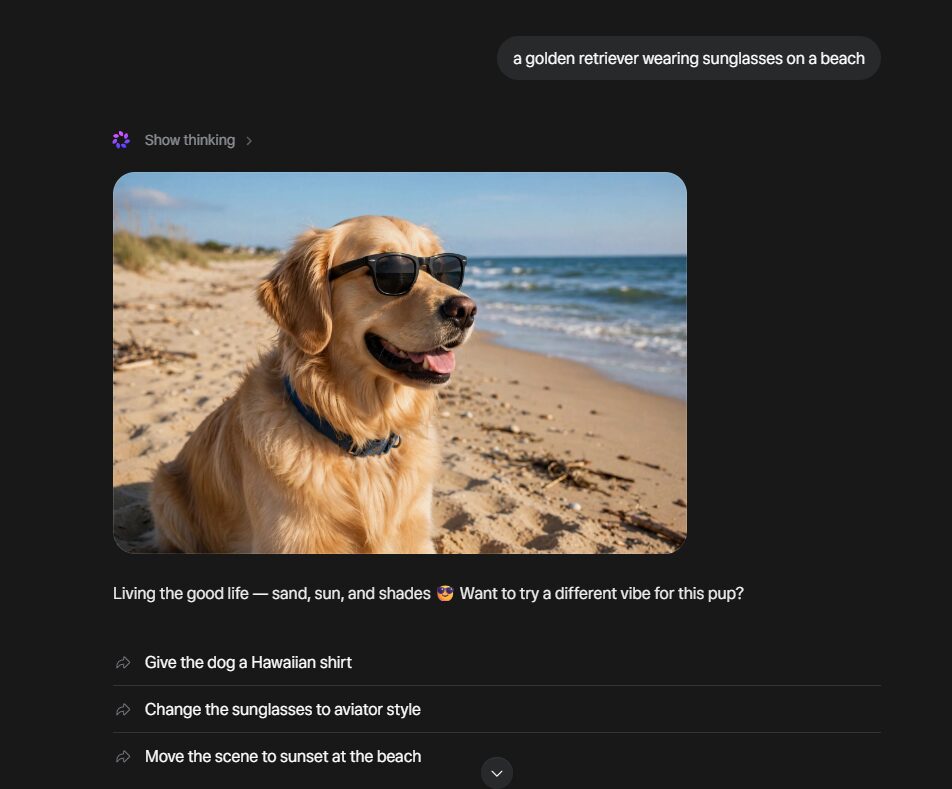
One thing that actually sets it apart from a lot of older AI image tools: it doesn’t just turn your text into a picture in one dumb step. It kind of acts more like an assistant. It plans the image out first, pulls in real-time web context if it needs to, and can blend multiple photos together into one final result. So you could ask it to drop your dog into a famous painting, or mash up a selfie with a vacation photo to make a custom postcard, and it actually thinks through how to pull that off.
Using it for everyday, casual stuff? Completely free. If you blow past the free limit, you’ll need one of Meta’s paid subscription plans, which they rolled out back in May 2026.
What Can You Actually Do With It?
Beyond just “type a prompt, get a picture,” Muse Image is actually pretty loaded with features. Here’s the real rundown of what you can do with it.
Photo editing and blending. You don’t have to start from scratch, hand it an existing photo and ask it to erase a random photobomber, restore an old beat-up family photo, or blend two pictures together, like mixing a selfie with a vacation shot for a custom postcard.
Presets for when your brain’s just empty. We’ve all stared at a blank prompt box with zero ideas. Muse Image has a presets panel with ready-made prompts you can just tap, restore an old photo, try a trending hairstyle, turn yourself into a claymation character, whatever.
Instagram Story effects. Over 30 new AI effects are rolling out specifically for Instagram Stories, so you can use Muse Image’s stuff without even leaving the Stories camera.
Room redesigns tied to Facebook Marketplace. Genuinely one of the more useful features here, snap a photo of your room, describe a vibe, and it’ll redesign the space using actual furniture pulled from real Marketplace listings.
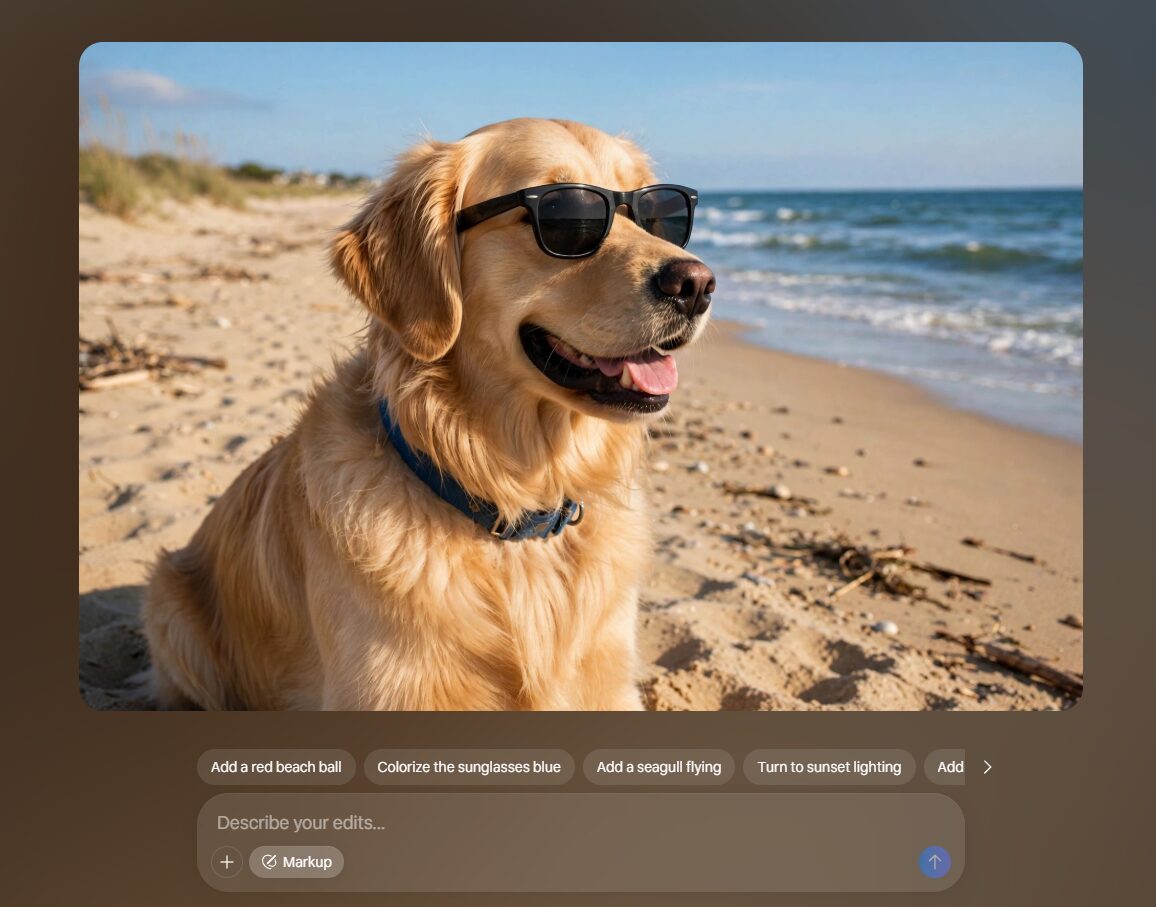
Markup and back-and-forth editing. Instead of retyping your whole prompt every time you want a tiny change, you can literally circle or sketch on the image to request edits, and it remembers the conversation so you’re not starting over each time.
Text that’s actually readable inside images. A lot of older AI tools completely butcher text in images. Muse Image renders clean, legible text, handy if you want to mock up an infographic or a how-to graphic.
Instagram @-mentions. You can @-mention a public Instagram account inside the Meta AI app and pull that person’s public photos into your generated image, useful for something like a custom event invite. Though heads up, this is also the exact feature at the center of the privacy drama we’ll get into further down.
Free vs. Paid, What Do You Actually Get?
Good news first, regular, everyday use of Muse Image is completely free. No credit card, no signing up for some special tier, nothing. Just open the Meta AI app, Instagram Stories, or WhatsApp and start generating.
Where it gets real is once you hit your usage limit. At that point you’ve got two choices: wait for it to reset, or grab one of Meta’s paid plans, like Meta One, which they launched back in May 2026 as part of their bigger push to actually make money off all this AI stuff. Annoyingly, Meta hasn’t published an exact number for what the free tier’s daily or monthly cap actually is, so you’re kind of just going to have to find out through trial and error if you use it a lot.
For some quick context on where this sits price-wise: Midjourney doesn’t even have a free tier, you’re paying from day one, usually starting around $10/month. Google’s Nano Banana 2 is more like Meta’s approach, with a free tier through the Gemini app and paid tiers if you need more.
So if you’re just messing around with AI images once in a while, Muse Image’s free tier is honestly hard to beat, it’s already sitting in apps you use anyway, at zero extra cost. But if you’re a business or creator generating stuff regularly, just plan on eventually needing the paid plan, same as you would with basically any AI tool once your usage ramps up.
How Does It Compare to Midjourney, Nano Banana 2, and GPT Image 2?
Here’s the honest competitive picture, based on Meta’s own published benchmarks and public reporting, not something I independently tested myself, since Meta’s the one making these specific performance claims.
| Feature | Meta Muse Image | Midjourney | Google Nano Banana 2 |
|---|---|---|---|
| Price | Free for everyday use; paid Meta subscription required beyond free limits | Paid only, plans start around $10/month, no free tier | Free tier available via Gemini app; paid tiers for higher usage |
| Key Features | Text-to-image, photo blending, Instagram Story effects, prompt-based editing, sketch/markup edits, Instagram @-mention integration, Facebook Marketplace furniture preview | High-quality artistic image generation, strong stylization control, large community/prompt library | Fast image generation and editing, integrated into Google’s Gemini ecosystem, strong at photorealistic edits |
| Best Use Case | Casual social content, Instagram/WhatsApp creative, small business ad creative via Advantage+ | Artistic/stylized image generation for creators and designers wanting fine control | Quick everyday edits and generation for users already in Google’s ecosystem |
By Meta’s own admission, and this is kind of surprising for a company launching its own product, Muse Image beats Nano Banana 2 on stuff like single and multi-image editing, but it actually trails OpenAI’s newest GPT Image 2 model on overall quality. Fairly candid thing to admit, honestly, and it’s worth taking seriously since it’s coming straight from Meta itself.
There’s also a real limitation worth flagging if you’re technical: Muse Image has no public API right now. Full stop.
Muse Image by @AIatMeta looks fantastic, but unfortunately we can’t even use it. Meta does not provide any API access for it. The only way to use it is in Meta products, with a Meta account. I’m not going to do that.
Just give us API access so that I can use it from @fal
🙏— Mark Kretschmann (@mark_k) July 7, 2026
He basically summed up the frustration a lot of developers feel. The tool looks great, but there’s zero way to plug it into your own workflows or third-party tools. That’s a pretty different approach from companies like Anthropic, which built Claude Sonnet 5 with developers as a core focus with full API access from day one. So if you were hoping to build something with Muse Image programmatically, you’re out of luck for now.
The Privacy Controversy You Should Know About
This is the part of the launch causing the most actual pushback, and it’s worth understanding clearly before you go poking around with the tool.
So, Muse Image has a feature that lets people @-mention a public Instagram account inside the Meta AI app, which then pulls that person’s public photos into an AI-generated image, and the person doesn’t even get notified it happened. According to Meta’s own policy language, “other people may create content using your Instagram content using AI features at Meta,” and “you will not be notified about content created using AI features at Meta.” It’s opt-out, not opt-in, meaning it’s on by default for literally anyone with a public Instagram profile.
Reaction online was fast, and not exactly kind. After The Verge first flagged how invasive this could be, one X user put it pretty bluntly: “Pulling real users into generated photos without explicit consent is a privacy landmine waiting to detonate.”
If you’d rather not have your photos used this way, you can actually turn it off. Head to Instagram’s settings, go to sharing and reuse, and disable the option that lets “people create with and reuse your content.” There’s a similar toggle for blocking people from reusing your original audio with Meta AI too.
Meta isn’t the only major AI company under the microscope for how it’s handling personal data right now. Anthropic recently rolled out its own government ID verification requirement for some Claude users, a totally different kind of privacy trade-off, but it’s really part of the same bigger pattern of AI companies wanting more of your personal info as these tools scale up.
Worth mentioning too, this isn’t Meta’s first rodeo when it comes to privacy scrutiny. They paid a record $5 billion FTC fine back in 2019 over the whole Cambridge Analytica mess, and shut down Facebook’s facial recognition system in 2021 over similar biometric data concerns. That history is honestly a big part of why people jumped straight to skepticism on this one instead of giving Meta the benefit of the doubt.
The Verdict
So, is Meta Muse Image actually worth it? For most people, yeah, but with a couple of real catches. Score: 3.5/5
It’s worth it if you’re just a casual creator who wants fast, free image generation without downloading yet another app or paying for yet another subscription. It’s already sitting inside Instagram, WhatsApp, and Meta AI, and honestly that convenience is hard to beat. It’s also a solid pick if you’re a small business messing around with ad creative through Advantage+.
It’s probably not worth it if you’re a developer or power user who actually needs API access. Meta hasn’t shipped one, so if it’s not inside Meta’s own apps, you can’t touch it. Also worth pausing on if you care about privacy, since that photo-tagging feature uses your public Instagram content by default unless you go turn it off yourself. Solid tool overall, just go in knowing what you’re actually opting into.
FAQ
1. Is Meta Muse Image worth paying for? For most casual users, honestly no, the free tier handles everyday image creation just fine. It’s really only worth paying for if you’re constantly hitting the free limit, like a small business pumping out ad creative or a creator posting daily.
2. Is Meta Muse Image better than Midjourney? Depends what you’re going for. Midjourney’s still got the edge for stylized, artistic stuff, but Muse Image wins on sheer convenience since it’s already built into apps you’re using anyway, like Instagram and WhatsApp. No separate subscription needed to even start.
3. Is Meta Muse Image free to use? Yep, everyday basic use is free through the Meta AI app, Instagram Stories, and WhatsApp. Once you blow past the free limit though, you’ll need one of Meta’s paid plans to keep generating.
4. Is Muse Image safe to use with my Instagram photos? Mostly, yeah, but there’s one setting worth double-checking. By default, other people can tag your public Instagram profile and use your photos in AI images without you ever getting notified. You can shut that off in Instagram’s settings under “sharing and reuse” if that freaks you out at all.
5. How is Meta Muse Image different from Meta AI? Meta AI is the overall assistant. Think of it as the chatbot you’re actually talking to. Muse Image is specifically the model behind the scenes that builds the pictures when you ask for one.
1 thought on “Is Meta Muse Image Worth It? Honest AI Review.”